
📝 Description
The Text Extraction task allows users to extract specific text content from images using advanced extraction logic. The task runs on images stored in the field identified by the provided field key.
The Field Key is a unique identifier for each field within a template. The field key can be found within the template configuration (see: Adding & Editing Fields: Field Key), or by hovering over the field name in the project page (see: Field Information: Field Key and Last Updated). Field keys are case sensitive and must match exactly in any use case.
🎯 When to Use This Task
Use this task when you need to:
- Extract one or more text values from images
- Automate data collection from structured or semi-structured documents
- Apply custom extraction rules using tailored instructions
🛠️ Accessing the Task
Users can either edit an existing Text Extraction task or create a new one.
- Select an existing Image Text Extraction to edit, OR
- Creates a new Text Extraction task
The same configuration modal is used in both cases.
🧩 Required Fields & Inputs
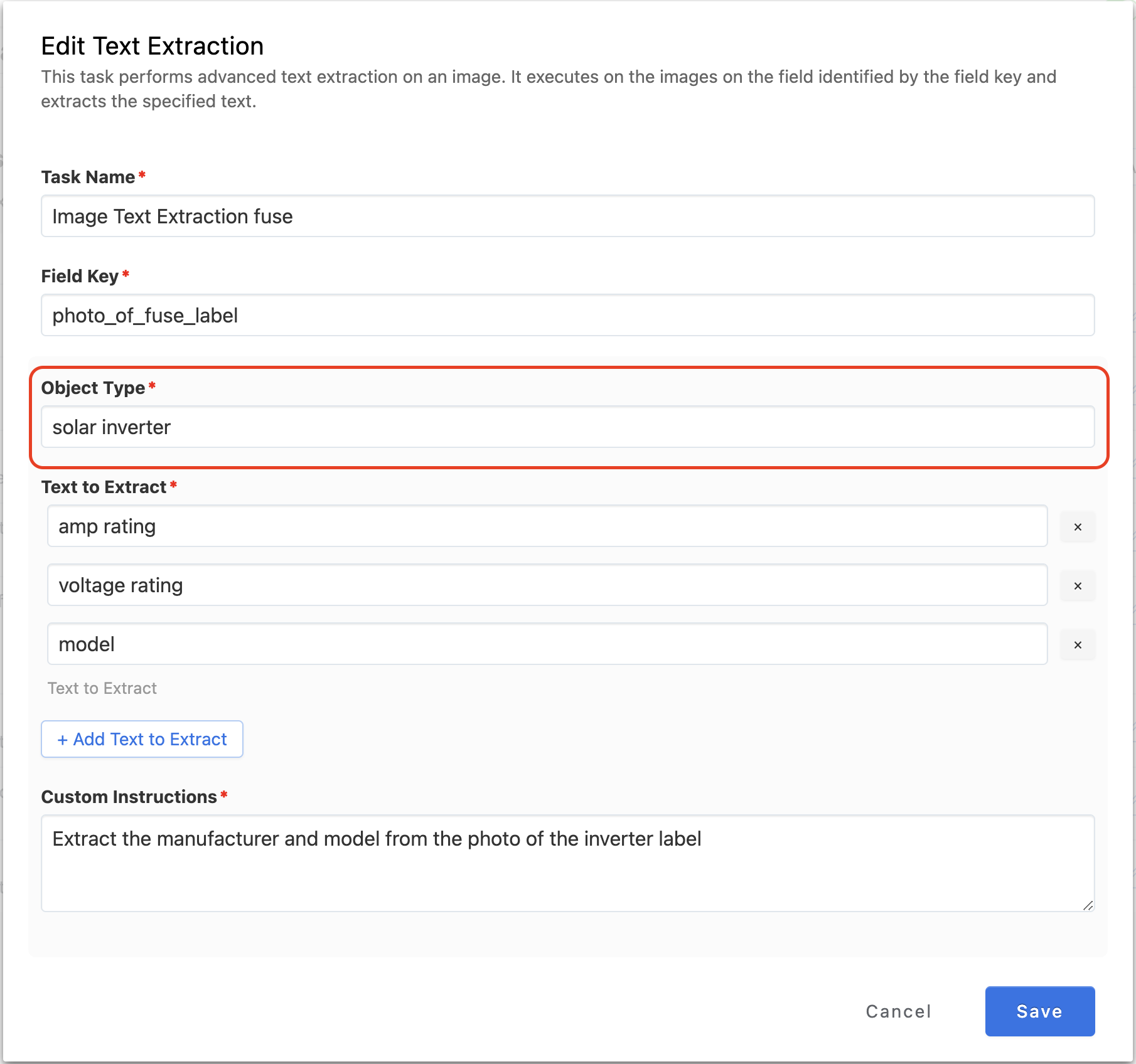
1. Task Name
User specifies the name of the text extraction task.
2. Field Key (required)
- Identifies which field contains the images to run the extraction on
- The field key can be found in the template or a related project and it needs to match exactly (capitalization and punctuation)
- Please see this guide on how to easily copy a field key in the project show page
3. Object Type (required)
4. Texts to Extract (at least one required)
- Users must enter at least one text value to extract
- Users can:
- Add additional text entries
- Remove previously added entries
- Every entry in the list must contain a value
5. Custom Instructions (required)
- A text area where users provide extraction guidance
- Instructions refine and improve the extraction logic
➕ Adding Text Items
- Click Add Text to Extract to include additional text entries
- Each entry must contain a valid text value
➖ Removing Text Items
- Users may remove any text extraction entry they previously added by clicking the X
💾 Saving the Task
The blue Save button becomes enabled only when all required fields are complete:
- Field Key
- At least one Text to Extract
- Custom Instructions
Once the user clicks Save:
- The task is saved
- The modal closes
📌 Summary
The Text Extraction task provides a robust solution for extracting structured text from images. By defining a field key, setting target text values, and applying custom extraction instructions, users can automate and fine-tune text retrieval for a variety of workflows.
Comments